FPV Stabilization for Mac
The Mac App Store gyro stabilizer built for FPV pilots. GoPro Hero 8-13, DJI Avata 1/2, DJI Osmo Action 4-6, RunCam Thumb Pro — all in one app. Horizon lock. Batch queue. AI motion blur. Real-time GPU preview. The native Apple Silicon alternative to Gyroflow for FPV.
Why FPV pilots need gyro stabilization
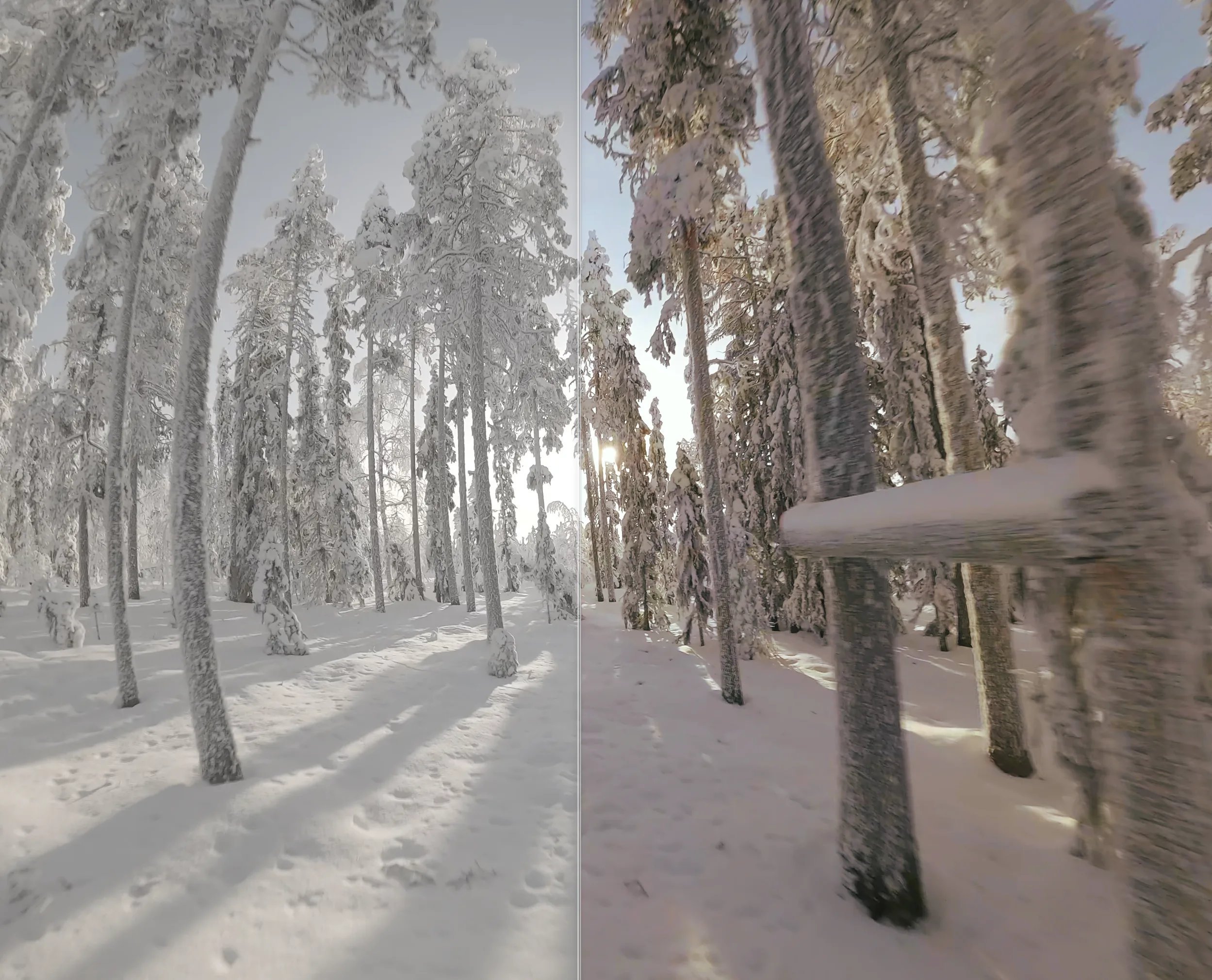
FPV freestyle and racing produce some of the most aggressive camera motion in any genre. Mechanical stabilization isn't an option — gimbals slow down the quad and mute the feel of the flight. In-camera EIS (HyperSmooth, RockSteady) helps, but it's locked to the recording: you can't recover original framing, push smoothness for cinematic shots, or apply different settings per cut.
Gyroscope-based post-prod stabilization is the answer FPV editors converged on. Your camera already records the gyro and accelerometer telemetry. Unshake reads it on Mac and applies frame-accurate stabilization with a horizon lock that knows when you've rolled or flipped — exactly what you need for freestyle.
Supported FPV gear
GoPro
- Hero 13 Black
- Hero 12 Black
- Hero 11 Black / Mini
- Hero 10 Black
- Hero 9 Black
- Hero 8 Black
DJI
- DJI Avata 2
- DJI Avata 1
- Osmo Action 6
- Osmo Action 5 Pro
- Osmo Action 5
- Osmo Action 4
RunCam
- RunCam Thumb Pro
Horizon lock for freestyle
Horizon lock keeps the horizon level even through rolls, flips, and dives. In Unshake, it's a one-toggle option with adjustable strength: 100% locks completely (cinematic), 50% lets some movement through (organic), 0% disables it (default for racing).
The lock is informed by the IMU's accelerometer plus orientation integration, so it stays accurate even during long inverted maneuvers — no slow drift.
Batch queue: process a session in one click
FPV editors typically come back from a flight with 10-30 short clips. Drop them all into Unshake, set per-clip parameters (smoothness, horizon lock, crop), and export the whole queue at once. Metal GPU keeps export fast on Apple Silicon — a session typically finishes faster than you can review the cuts.
AI motion blur for cinematic FPV
FPV editors often want a 24p-style motion blur to make stabilized footage feel filmic. Built-in 24p shutter creates artifacts on stabilized clips — Unshake's AI motion blur runs on the Apple Neural Engine and reconstructs realistic motion blur from the stabilized output. Adjustable from 1× (subtle) to 10× (extreme); 2-4× is the sweet spot for cinematic FPV.
FAQ
Which FPV cameras work with Unshake?
GoPro Hero 8 through 13, DJI Avata 1 and 2, DJI Osmo Action 4-6, Insta360 Ace Pro, and RunCam Thumb Pro. All read directly from the embedded gyro stream — no sidecar file required.
How is this different from Gyroflow?
Gyroflow is open-source and supports more camera models (including blackbox-only). Unshake is Mac-native, on the App Store, with one-click install, automatic updates, AI motion blur and AI denoise, real-time GPU preview, and a batch queue tuned for FPV workflows.
What Sigma values should I use for FPV?
Start at 0.5 for cinematic, 0.3 for racing (where some motion feels right), 0.7+ for slow-mo.
Does it handle DJI O3 / O4 Air Unit footage?
Yes, the Osmo Action 4 / 5 / 5 Pro / 6 share the gyro format with the O4 Air Unit footage recorded on goggles. Avata 1 and Avata 2 are also supported.