DJI Osmo & Avata Stabilization for Mac
Native Mac gyroscope stabilization for DJI Osmo Action 4, 5, 5 Pro, 6 and DJI Avata 1 / 2. Bundled D-Log M LUTs. Real-time GPU preview. Apple Silicon-optimized. The Gyroflow alternative for DJI footage on Mac.
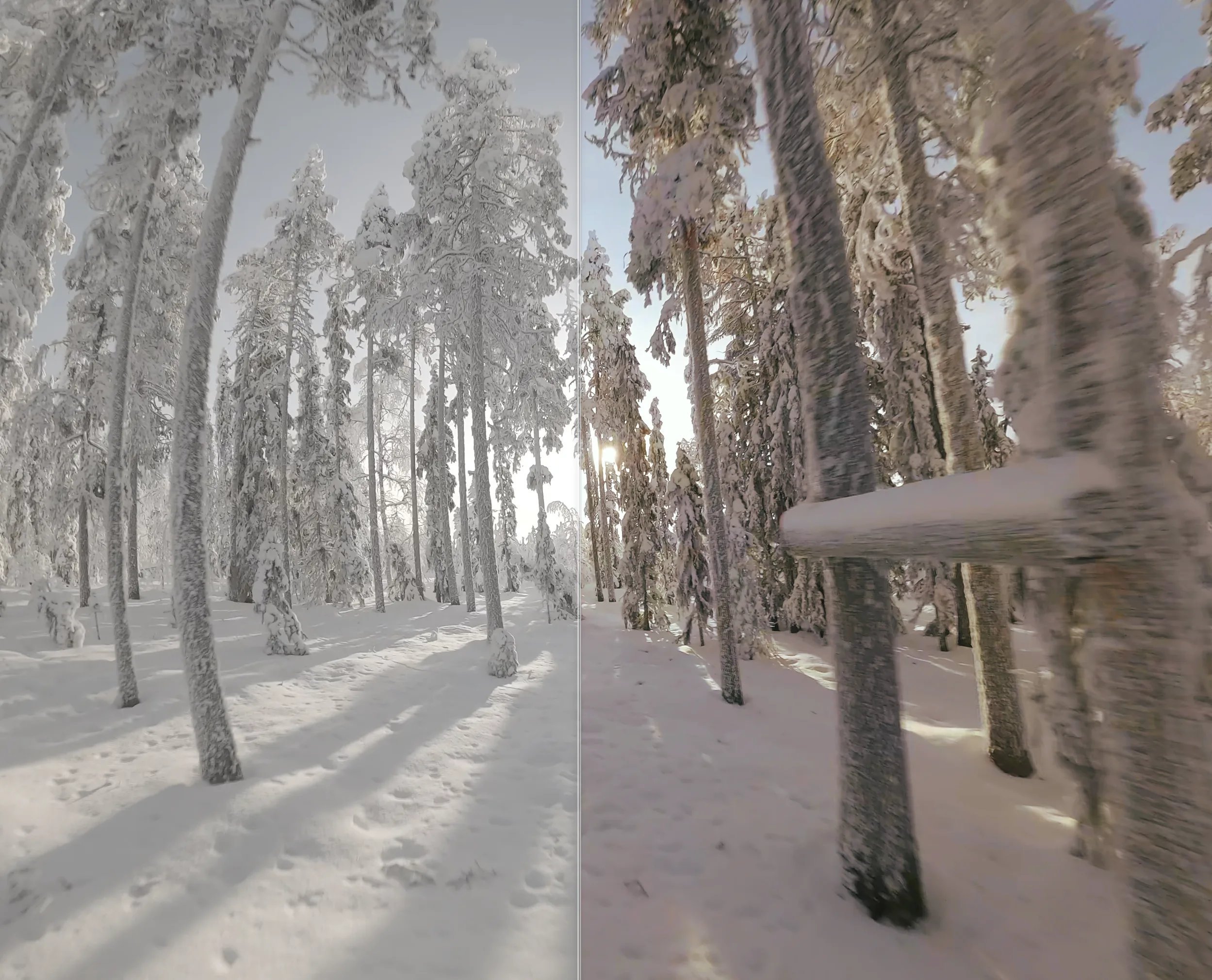
RockSteady, HorizonSteady, and why post-prod still matters
DJI Osmo Action cameras pack excellent in-camera stabilization. RockSteady 3.0 (Action 4-6) and HorizonSteady can produce remarkably smooth footage straight out of the camera. But they bake the result into the file: the stabilization is fixed, the crop is fixed, and you can't recover the original framing.
If you record with stabilization off — or with D-Log M for color grading — you get the full sensor and full dynamic range. Unshake then reads the embedded gyro telemetry and stabilizes in post on your Mac, with finer control over smoothness, horizon lock, FOV, and per-clip parameters. You also get one more major benefit: AI motion blur, which neither RockSteady nor HorizonSteady can do.
Supported DJI cameras
- Osmo Action 6
- Osmo Action 5 Pro
- Osmo Action 5
- Osmo Action 4
- DJI Avata 2
- DJI Avata 1
Each model has its own gyroscope format (DJI uses an internal protobuf stream). Unshake auto-detects the model and selects the right lens profile and LUT.
Bundled D-Log M LUTs
Unshake ships with official DJI LUTs for every supported Osmo and Avata model: D-Log M to Rec.709 conversion is applied automatically when the file is recorded in flat profile. You can override with a custom .cube LUT if you prefer your own grade.
How it works
1. Drop your DJI .mp4
Unshake reads the embedded gyroscope stream from the original file. No re-encoding required.
2. Camera + LUT auto-detected
The camera model and lens profile are picked automatically. If your file is in D-Log M, the matching LUT is applied.
3. Tune stabilization
Adjust Sigma for smoothness. Enable Horizon Lock for FPV / Avata flights or any rotated camera mount.
4. Export
ProRes 422, HEVC or H.264. Queue multiple Avata or Action clips and Unshake batches them on Metal GPU.
FAQ
Which DJI cameras work with Unshake?
Osmo Action 4, 5, 5 Pro, 6 and DJI Avata 1 / Avata 2.
How is this different from RockSteady or HorizonSteady?
RockSteady and HorizonSteady run in-camera and bake the stabilization into the recording. Unshake stabilizes in post on your Mac, giving you finer control over smoothness, horizon lock, FOV, and recoverable framing.
Does Unshake handle D-Log M and D-Log color profiles?
Yes — Unshake bundles official DJI LUTs for every supported model and applies them automatically. You can also import a custom .cube file.
What about DJI Mavic, Mini, or Air drones?
Mavic / Mini / Air drones already use mechanical gimbal stabilization, which is hardware-stable. Unshake focuses on cameras where gyroscope-based EIS is the right tool: Osmo Action and Avata FPV.